
7 Standout Testimonials Website Design Examples for 2025

In a competitive market, authentic social proof is no longer optional; it’s a crucial element that builds trust and drives conversions. A well-executed testimonials website design transforms customer feedback from a simple quote into a compelling narrative that reassures potential clients and validates your brand’s promises. However, designing a testimonial section that is both visually engaging and genuinely persuasive can be a significant challenge. Many businesses struggle with clunky layouts, uninspired presentation, and a failure to showcase their best feedback effectively.
This curated guide is designed to solve that problem. We will explore a variety of powerful examples and platforms, each offering unique approaches to showcasing customer praise. From dedicated testimonial collection services to flexible website builder templates, you'll discover actionable strategies to elevate your own design.
We'll break down the specific tactics behind each example, providing screenshots and direct links so you can see them in action. You will learn how to:
- Organise testimonials for maximum impact.
- Integrate multimedia elements like video and star ratings.
- Choose a layout that aligns with your brand's aesthetic.
By the end of this article, you’ll have a clear roadmap for creating a testimonial section that not only looks professional but also functions as a powerful conversion tool. Let’s explore the platforms that make it simple, starting with an all-in-one solution like Good Kudos.
1. Good Kudos
Best For: Speed, Simplicity, and All-in-One Testimonial Collection.
Good Kudos positions itself as a powerful, no-code solution for small teams aiming to leverage social proof without technical overhead. It excels in making the entire testimonial lifecycle, from collection to display, incredibly straightforward. This platform is ideal for freelancers, charities, and small businesses who need a quick and effective way to centralise and showcase customer success stories, including compelling video testimonials.
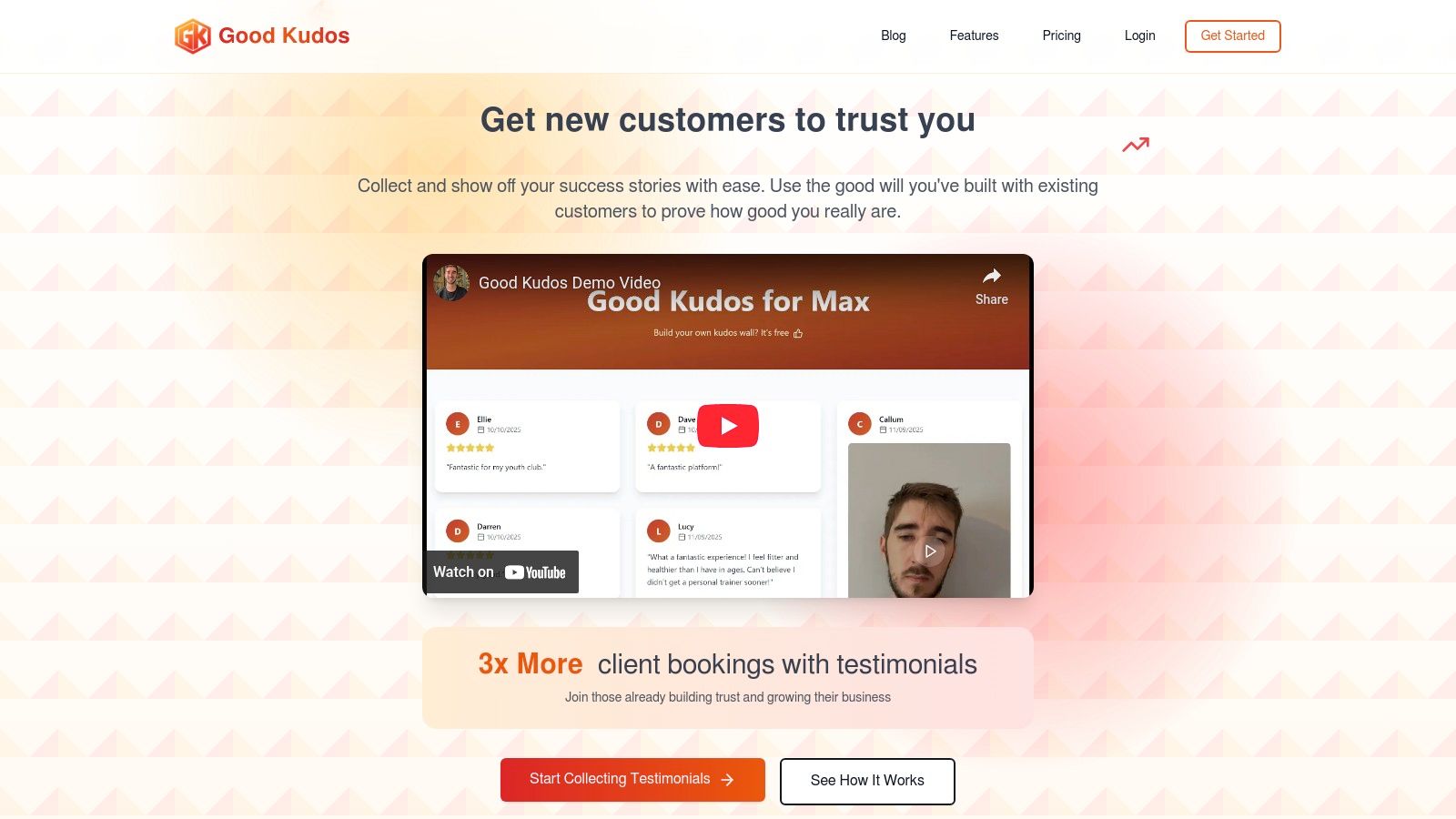
The core of the platform is the "Kudos Wall," a branded, central hub for all your testimonials. What makes this a standout feature in testimonials website design is its versatility. You can share your wall via a single link, email, text message, or even a QR code, removing virtually all friction for customers who want to leave feedback. They can submit written reviews or record video testimonials directly, with no apps or downloads required. This frictionless submission process is a key differentiator, as it significantly increases the likelihood of customers participating.
Strategic Breakdown and Key Features
Good Kudos is built around three core principles: ease of collection, centralised management, and effortless embedding. This streamlined approach allows users to build trust and credibility quickly.
- Frictionless Collection: The multi-channel sharing options (link, QR code, email) meet customers where they are. This removes common barriers to collecting feedback, ensuring a higher submission rate.
- Video Testimonial Focus: Video is a high-impact format for social proof. Good Kudos makes collecting video testimonials as simple as collecting text, giving businesses access to more authentic and engaging content.
- Embeddable "Kudos Wall": Once collected, testimonials are organised on a customisable wall. This entire wall, or individual testimonials, can be embedded directly onto your website, in email signatures, or on social media profiles with a simple copy-paste, ensuring your social proof is visible at critical conversion points.
Actionable Takeaway
For a small business or freelancer, speed to implementation is critical. You can create a branded Kudos Wall and start collecting feedback in a matter of minutes. The platform's claim of helping users achieve "3x more client bookings" underscores the direct commercial impact of a well-organised social proof strategy. The forever-free plan, which includes up to 10 text and 3 video testimonials, offers a risk-free way to test the platform's capabilities and see its impact firsthand. For those needing more, the Pro plan is affordably priced at $20/month. Ready to get started? Create your free Kudos Wall at Good Kudos today.
Website: https://goodkudos.com
2. ThemeForest (Envato Market)
For businesses and freelancers seeking a pre-built solution, ThemeForest offers a vast marketplace of website themes that come with integrated, professionally designed testimonial sections. Instead of building from scratch, you can purchase a complete theme for platforms like WordPress, Shopify, or HTML that already includes polished and customisable layouts for showcasing social proof. This makes it an incredibly efficient starting point for a new website or a major redesign.

ThemeForest stands out due to its sheer volume and variety. You can find thousands of testimonials website design options, from minimalist text-based sliders to complex grids with star ratings and video embeds. The platform's filtering system allows you to search specifically for themes that feature testimonials, and live demos let you see exactly how they look and function before committing to a purchase.
Strategic Breakdown & Key Features
ThemeForest’s main advantage is providing a complete design framework. The testimonial sections are built to be stylistically consistent with the rest of the theme, ensuring a cohesive and professional appearance without needing a designer.
- Integrated Design: Testimonial styles (fonts, colours, spacing) match the overall theme aesthetic, saving significant design time.
- Built-in Variety: Many premium themes offer multiple testimonial layouts, such as carousels, grids, and static blocks, giving you flexibility right out of the box.
- One-Off Pricing: You pay a single licence fee (typically ranging from £15 to £60) for lifetime use of the theme on one site, making it a cost-effective option. Note that UK VAT will be added at checkout.
Actionable Takeaways & Best Practices
To get the most out of ThemeForest, it’s crucial to vet your options carefully. Not all themes are created equal.
- Check Reviews and Last Updated Date: Prioritise themes with high ratings and recent updates to ensure they are well-supported and compatible with the latest web standards.
- Use the Live Demo Extensively: Interact with the testimonial sliders and grids in the demo. Check for responsiveness on mobile devices and see if the animations and layout fit your brand’s personality.
- Review Author Support Policies: A theme with good author support is invaluable if you run into technical issues. Check the comments and support section on the item page to gauge the author's responsiveness.
While ThemeForest is excellent for integrated designs, if you need a more powerful, dedicated system for collecting and managing testimonials across multiple platforms, a specialised tool like Good Kudos is the ideal solution.
Website: https://themeforest.net
3. Elementor
For WordPress users who want granular control over their website's design without writing code, Elementor is a game-changing page builder. It allows you to add, customise, and style testimonial sections directly on any page or post. Instead of being locked into your theme’s built-in options, Elementor provides drag-and-drop widgets specifically for testimonials, making it incredibly easy to create a unique testimonials website design that perfectly matches your brand.
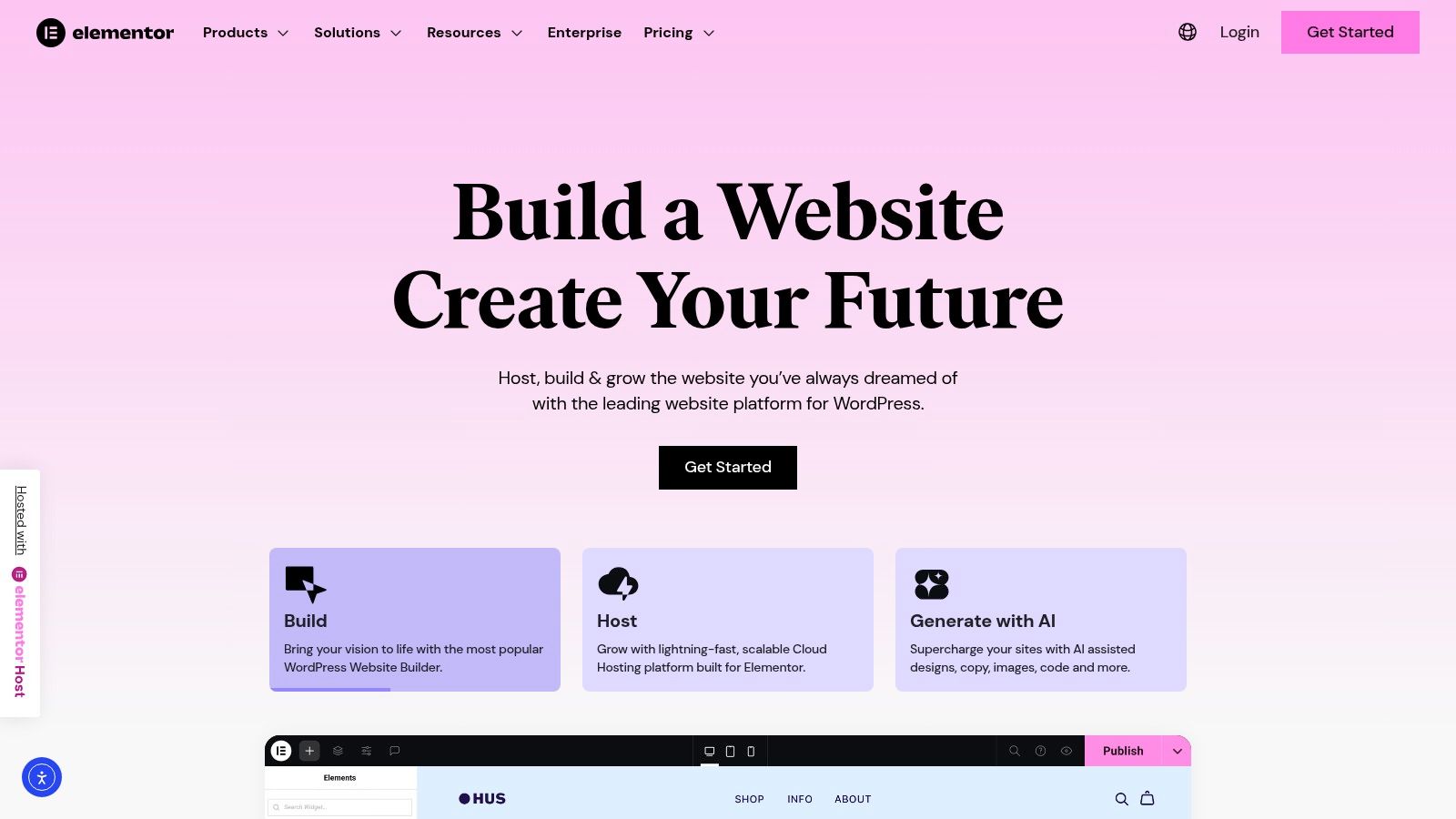
Elementor stands out because it separates design capabilities from the theme itself. Its Testimonial and Testimonial Carousel widgets are powerful tools that offer extensive styling options, from layout and typography to image positioning and navigation arrows. This flexibility is ideal for businesses that want to iterate on their social proof displays without needing a full website overhaul or hiring a developer. The platform also boasts a huge ecosystem of third-party add-ons and a vast template library for instant inspiration.
Strategic Breakdown & Key Features
Elementor’s primary advantage is its on-page, visual editing experience. You can see your changes in real-time, which dramatically speeds up the design process. The built-in widgets are designed to be both user-friendly for beginners and powerful enough for professional designers.
- Drag-and-Drop Widgets: The core plugin (free) includes a Testimonial widget, while the Pro version adds a more advanced Testimonial Carousel with options for skins, pagination, and autoplay.
- Deep Customisation: Control every element, including content alignment, colours, fonts, image shape, and layout, to ensure testimonials are completely on-brand.
- Template Library: Access hundreds of professionally designed page and block templates, many of which include pre-styled testimonial sections that you can import and adapt in seconds.
Actionable Takeaways & Best Practices
To leverage Elementor effectively, focus on both design consistency and functionality. It’s easy to get carried away, so a strategic approach is key.
- Start with a Template: Browse the Elementor template library to find a testimonial layout you like. Importing a pre-built block gives you a solid foundation to customise, saving time and ensuring a professional structure.
- Ensure Mobile Responsiveness: Use Elementor's responsive mode to check and adjust your testimonial design for tablet and mobile views. Ensure text is readable and sliders are easy to navigate on smaller screens.
- Combine with Dynamic Content: For more advanced use cases, connect your testimonial widgets to custom fields (using plugins like ACF) to manage your testimonials centrally rather than editing each widget individually.
While Elementor is fantastic for design flexibility on WordPress, managing and collecting reviews requires a more dedicated system. A tool like Good Kudos can automate the collection process and feed a steady stream of fresh testimonials into your beautifully designed layouts.
Website: https://elementor.com
4. Webflow Templates
For designers and businesses who want advanced creative control without writing code, Webflow Templates offer a curated marketplace of high-quality, production-ready websites. Many of these premium and free templates come with beautifully integrated testimonial sections, including modern sliders, dynamic grids, and "wall of love" layouts. This approach is ideal for those using the Webflow platform, as it provides a solid foundation for a unique testimonials website design that can be customised with sophisticated animations and interactions.
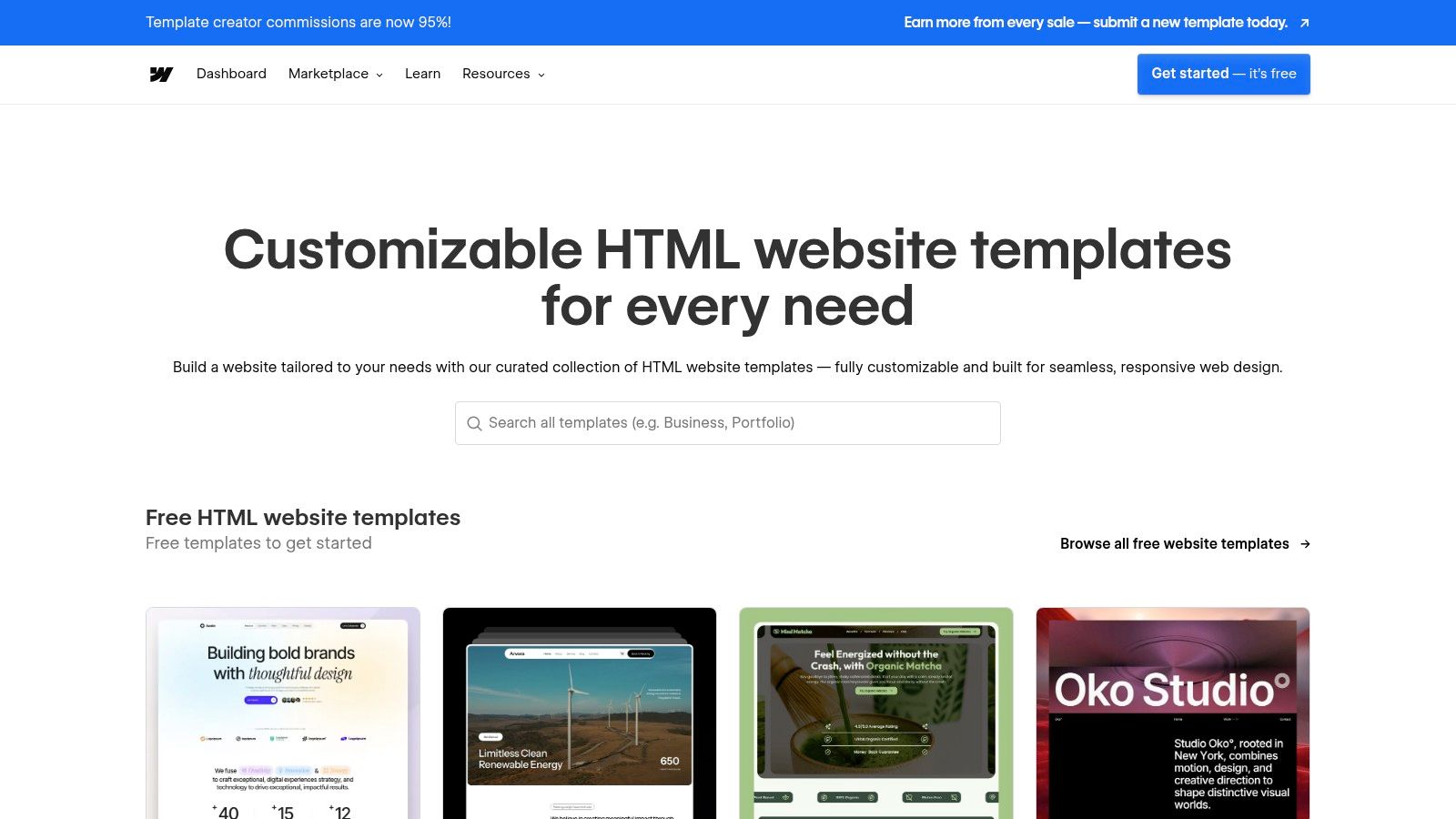
Webflow Templates stand out by combining professional aesthetics with the power of Webflow’s visual development environment. Unlike static themes, these templates are built with customisability in mind. You can easily adjust the structure, styling, and animations of the testimonial components directly in the Webflow Designer, giving you far more granular control than typical theme builders. The marketplace provides detailed previews and allows you to open a template in the Designer to test its functionality before purchase.
Strategic Breakdown & Key Features
The primary advantage of Webflow Templates is their seamless integration with Webflow’s interaction engine. Testimonial sections are not just static blocks; they are dynamic, responsive components that can be animated to engage visitors and enhance the user experience, all without needing to code.
- Advanced Customisation: Components are built with clean, organised classes, making it simple to restyle fonts, colours, and layouts to perfectly match your brand identity.
- Built-in Interactions: Many templates include pre-built animations and interactions for testimonial sliders or hover effects, creating a polished, modern feel.
- One-Time Licence Fee: Paid templates typically cost between $29 and $169 for a single-site licence, offering a premium design at a fixed price. Keep in mind that Webflow hosting is a separate, recurring cost.
Actionable Takeaways & Best Practices
To maximise the value of a Webflow Template, focus on its structure and flexibility.
- Test in the Designer: Always use the "Open in Designer" feature before buying. This lets you inspect the template's structure, check its class naming conventions, and ensure the testimonial components are easy to manage.
- Verify Responsiveness: While templates are generally responsive, check the testimonial sections across all breakpoints (desktop, tablet, and mobile) in the preview to confirm the layout adapts gracefully.
- Leverage Component Reusability: Once you customise a testimonial block, save it as a "Component" in Webflow. This allows you to reuse your perfected design across multiple pages consistently.
While Webflow Templates provide an excellent starting point for visually stunning designs, a dedicated tool like Good Kudos is a better choice if your priority is automating the collection and management of testimonials at scale.
Website: https://templates.webflow.com
5. Shopify App Store (Testimonials/Reviews apps)
For e-commerce businesses running on Shopify, the App Store is the go-to destination for adding powerful testimonial functionality directly to your storefront. Instead of relying on theme-specific features, you can install dedicated apps like Loox, Judge.me, or Fera.ai to collect, manage, and display customer reviews with advanced features. These apps offer widgets and blocks that integrate seamlessly into your Shopify theme, providing a fast and code-free way to deploy social proof.
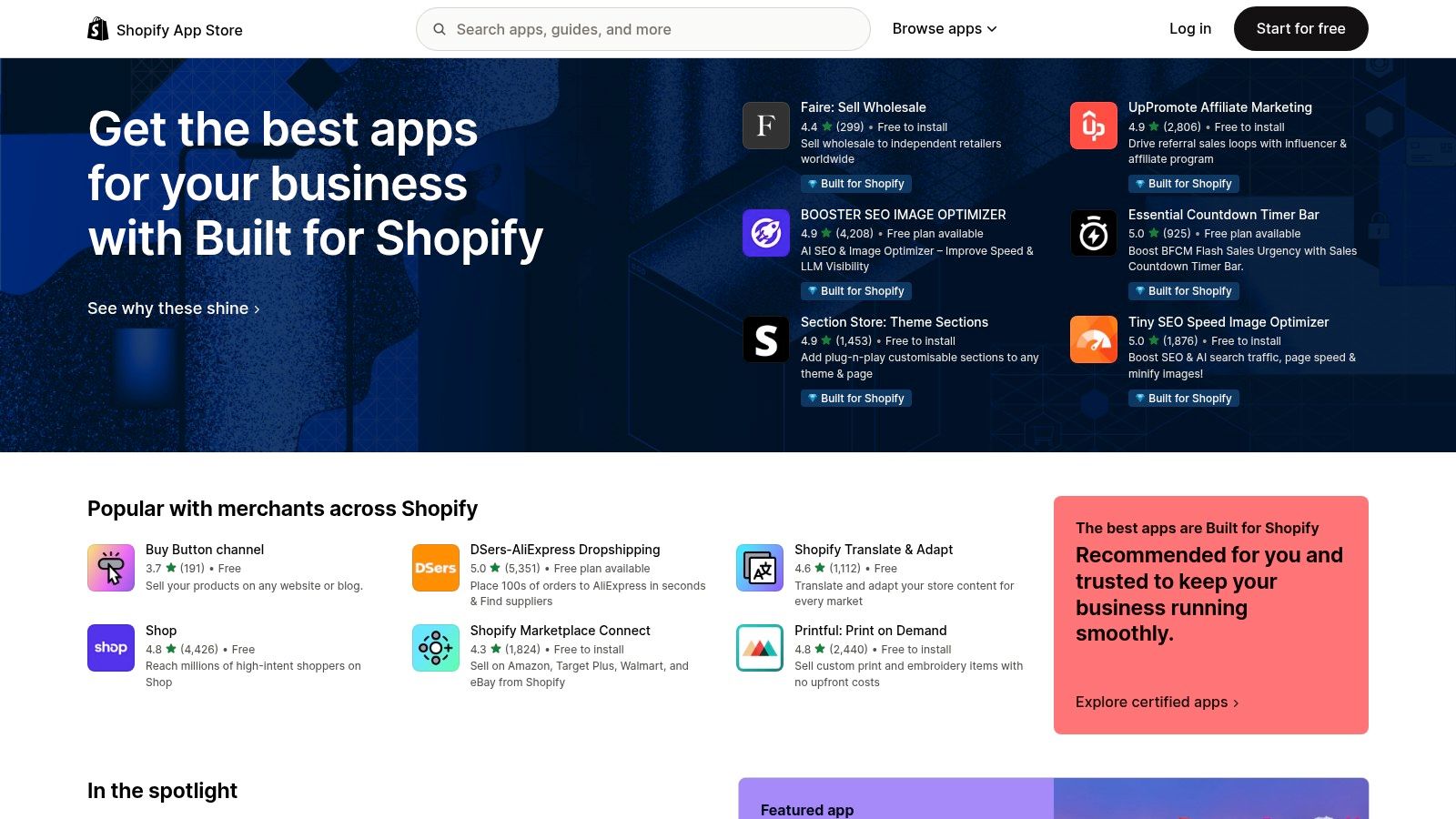
The Shopify App Store stands out because of its focus on e-commerce conversion. The apps available are designed to turn customer feedback into sales, offering features like photo and video reviews, automated review request emails, and the ability to import reviews from platforms like Google and Facebook. This makes it an essential resource for any store looking to leverage a professional testimonials website design to build trust and drive purchases.
Strategic Breakdown & Key Features
The primary advantage of using a Shopify app is the tight integration with your store’s products and orders. The systems are built to automatically link reviews to specific products and customers, creating a highly relevant and trustworthy display of social proof at critical points in the buying journey.
- E-commerce Integration: Apps connect directly to your product catalogue, allowing you to display relevant reviews on each product page.
- Automated Collection: Most apps can automatically send post-purchase emails or SMS messages asking customers for reviews, streamlining the collection process.
- Rich Media Support: Many popular apps encourage customers to submit photos and videos with their reviews, providing more authentic and engaging content.
- Flexible Pricing: A wide range of apps offer free tiers for new businesses, with paid plans (typically £10-£80/month) that scale as your order volume grows.
Actionable Takeaways & Best Practices
To effectively leverage the Shopify App Store, focus on choosing an app that aligns with your specific e-commerce goals.
- Read Recent Reviews: Pay close attention to app reviews from the last six months. Look for comments about support quality, app speed, and compatibility with popular themes.
- Test the Free Plan: Before committing to a paid subscription, install the app and use its free tier to test the widgets on your site. Check how they look on mobile and whether they impact your page load speed.
- Customise to Match Your Brand: Use the in-app customisation settings to adjust fonts, colours, and layouts to ensure the testimonial widget feels like a native part of your website, not a third-party add-on.
While Shopify apps are perfect for on-site e-commerce reviews, a dedicated platform is needed to manage testimonials across your entire marketing ecosystem. For a more comprehensive solution that centralises all your social proof, consider exploring a tool like Good Kudos.
Website: https://apps.shopify.com
6. Trustpilot
For businesses aiming to build instant credibility, particularly in the UK and Europe, Trustpilot provides a powerful, third-party platform for collecting and showcasing verified customer reviews. Its high consumer recognition means that displaying its branding on your site can immediately increase trust. Instead of manually curating testimonials, you can embed dynamic "TrustBox" widgets that pull reviews directly from your public profile, reinforcing authenticity and transparency.

Trustpilot stands out by acting as an independent arbiter of customer satisfaction. Its widgets, ranging from simple rating badges to full-blown carousels, offer a standardised and easily recognisable format. This focus on verified, third-party validation makes it a go-to choice for businesses in e-commerce, services, and SaaS, where building trust with new visitors is a critical part of the conversion funnel. Many of its testimonials website design widgets are available on its free plan, offering an accessible entry point.
Strategic Breakdown & Key Features
The core advantage of Trustpilot is leveraging its brand authority to boost your own. The TrustBox widgets are designed to be "plug-and-play," requiring minimal technical skill to implement on most major website platforms. This approach ensures your social proof looks credible and is consistently updated without manual effort.
- TrustBox Widgets: A versatile catalogue of embeddable elements, including carousels, rating badges, and specific product review widgets, that can be placed across your website.
- Third-Party Verification: Reviews are hosted on Trustpilot, giving them a layer of authenticity that self-hosted testimonials may lack.
- High Consumer Recognition: The familiar star rating and logo are widely known, especially in the UK, which can significantly improve user confidence and conversion rates.
Actionable Takeaways & Best Practices
To effectively leverage Trustpilot, it is important to integrate it thoughtfully into your website's user journey.
- Place Widgets Strategically: Use a prominent carousel widget on your homepage or a dedicated reviews page. Place smaller rating badges near key call-to-action buttons, like "Add to Basket" or "Request a Quote," to reduce friction at critical decision points.
- Monitor Page Speed: Third-party scripts can impact performance. Use tools like Google PageSpeed Insights to check the impact of the TrustBox widget and ensure it is not slowing down your site. Utilise caching where possible.
- Engage with All Reviews: Actively respond to both positive and negative reviews on your public Trustpilot profile. This demonstrates that you value customer feedback and are committed to service, further building trust with potential customers viewing the widgets.
While Trustpilot is a giant in third-party validation, businesses seeking a more customisable and deeply integrated system for managing their social proof might find that a dedicated platform like Good Kudos offers greater control over design and display.
Website: https://trustpilot.com
7. Feefo
For UK-based businesses that prioritise authenticity and data-driven insights, Feefo is a powerful verified-review platform. It moves beyond simple testimonial displays by ensuring that feedback comes only from genuine customers, providing a level of trust that is crucial for building credibility. Feefo automates the review collection process and offers a suite of embeddable widgets to integrate this verified social proof directly into your website.

Feefo stands out because of its official partnership with Google, which helps your star ratings appear in search results and ads, significantly boosting visibility and click-through rates. The platform focuses heavily on analytics, allowing businesses to track performance, monitor Net Promoter Score (NPS), and gain actionable insights from customer feedback. This makes it an ideal solution for companies that want to actively manage and improve their reputation based on real data.
Strategic Breakdown & Key Features
Feefo’s core strength lies in its verification process and robust analytical tools. It’s not just a display tool; it’s a complete feedback management system that provides a transparent and trustworthy testimonials website design.
- Verified-Only Reviews: All reviews are collected from real, verified customers, which builds immense trust with potential buyers and eliminates fake feedback.
- Google Integration: As a Google Partner, Feefo helps syndicate your ratings to Google, improving your SEO and visibility in search results with rich snippets (star ratings).
- Analytics and Reporting: The platform provides in-depth dashboards to analyse feedback, track trends, and measure customer satisfaction through metrics like NPS.
- Subscription Pricing: Feefo operates on a monthly subscription model, with plans like Essential starting from £149/month + VAT, making it an investment for businesses serious about review management.
Actionable Takeaways & Best Practices
To leverage Feefo effectively, you should focus on integrating its features deeply into your marketing and customer service strategies.
- Showcase Widgets Prominently: Place the Feefo review widgets on key conversion pages, such as product pages, checkout, and your homepage, to maximise their impact on purchasing decisions.
- Use Insights to Improve Operations: Regularly analyse the feedback within the Feefo dashboard. Use negative comments to identify and fix operational issues and positive feedback to understand what your customers value most.
- Promote Your Ratings: Actively promote your Feefo rating and reviews in marketing materials, social media campaigns, and email newsletters to amplify your hard-earned social proof.
While Feefo is a premium choice for verified reviews and analytics, if you need a more flexible and affordable tool for collecting and displaying a wide variety of testimonials, a dedicated platform like Good Kudos offers an excellent alternative.
Website: https://feefo.com
Top 7 Testimonials Website Design Comparison
| Service / Platform | Complexity 🔄 | Resources / Cost ⚡ | Expected Outcomes 📊 | Ideal Use Cases 💡 | Key Advantages ⭐ |
|---|---|---|---|---|---|
| Good Kudos | Very low — no-code, instant setup | Low ongoing cost; Free tier; Pro $20/mo | Centralized, embeddable testimonials; higher conversion potential (vendor claim) | Small teams, charities, freelancers, agencies needing quick social proof | Fast setup, frictionless video/text submissions, single-link/QR sharing |
| ThemeForest (Envato) | Medium — theme integration & occasional code tweaks | One-time purchase per theme; wide price range | Ready-made polished testimonial layouts; consistent design out of box | One-off site or landing-page builds needing complete designs | Massive selection, live demos, competitive one-time pricing |
| Elementor | Medium — plugin install + WordPress familiarity | Free core; Pro unlocks advanced widgets (paid) | Highly customizable testimonial sections and carousels | WordPress sites needing on-brand testimonial design without theme changes | Drag-and-drop widgets, large ecosystem, fast iteration |
| Webflow Templates | Low–Medium — no-code but requires Webflow Designer familiarity | Template fee (one-time) + Webflow hosting costs | Polished, responsive testimonial components with interactions | Webflow/no-code builds that require fine-grained animation control | Clean designs, interaction control, instant previews |
| Shopify App Store (Testimonials) | Low — app install via Shopify admin | Many free tiers; subscription apps add monthly cost | Widget-driven social proof (grids, sliders, imports) for product pages | Ecommerce stores on Shopify needing quick review/testimonial widgets | Quick install, multiple providers, import from external sources |
| Trustpilot | Medium — account setup and widget embedding; script management | Free basic features; paid business plans for advanced tools | Recognized third-party validation that can boost trust/conversions | Businesses (esp. UK) seeking widely trusted review badges and widgets | High consumer recognition, flexible TrustBox widgets, documentation |
| Feefo | Medium–High — onboarding, verified-review workflows | Higher monthly fees (example tiers from UK pricing) | Verified reviews with analytics, NPS tracking, Google rating surfacing | UK companies with active review programmes and reporting needs | Verified-customer emphasis, reporting/analytics, Google partnership |
Turn Your Customers' Words into Your Best Asset
We've explored a powerful array of tools and strategies, moving from dedicated platforms like Good Kudos and Trustpilot to versatile builders such as Elementor and Webflow. The journey through these examples reveals a clear, central theme: exceptional testimonials website design is no longer just about displaying quotes; it's about crafting an immersive narrative of trust and credibility.
Effective design transforms passive praise into an active conversion tool. It’s about strategically placing social proof where it has the most impact, using visual cues to draw the eye, and ensuring the user experience is seamless and authentic. The best designs we've analysed don't just show testimonials; they integrate them into the very fabric of the website, making them an indispensable part of the customer journey.
Key Takeaways for Your Testimonial Strategy
As you move forward, keep these core principles at the forefront of your design process. They are the common threads that connect the most successful testimonial displays.
- Authenticity is Paramount: Modern consumers can spot inauthentic praise from a mile away. Prioritise genuine, verifiable reviews with real names, photos, or even video to build unshakable trust.
- Visual Hierarchy Matters: Use design elements like card layouts, varied typography, star ratings, and high-quality imagery to guide your visitors' attention to the most compelling social proof.
- Context is King: A powerful testimonial loses its impact if it's placed in the wrong spot. Embed specific, relevant feedback next to corresponding product features, service descriptions, or pricing tables to answer potential objections at the exact moment they arise.
- Don't Sacrifice Performance: While dynamic grids and video testimonials are engaging, they must be optimised. Ensure your chosen tool or method doesn't slow down your page load times, which can harm both user experience and SEO.
Your Next Steps: Choosing the Right Path
So, where do you go from here? The right tool depends entirely on your specific needs, technical comfort level, and business goals.
For small businesses, freelancers, and nonprofits seeking an all-in-one solution that prioritises simplicity and beautiful design out of the box, a dedicated platform is often the most efficient choice. For those with existing WordPress or Shopify sites, exploring the rich ecosystems of plugins and apps offers a highly integrated approach. Finally, for agencies and designers demanding complete creative control, diving into the template marketplaces of Webflow or ThemeForest provides a foundation for truly bespoke testimonials website design.
Ultimately, the goal is to create a system that is easy to manage yet powerful enough to turn your happy customers into your most persuasive marketing asset. By applying the strategic insights and actionable takeaways from the examples we've covered, you can build a testimonial section that not only looks professional but also works tirelessly to build credibility and drive growth for your organisation.
Ready to effortlessly collect, manage, and display stunning testimonials without writing a single line of code? Good Kudos is designed specifically to help you create beautiful, conversion-focused testimonial sections in minutes. Start turning your customer feedback into your best marketing asset today with Good Kudos.